


CButters Tech Products
Bantam eGPU Enclosure (Enclosure & Assembly Screws)
Bantam eGPU Enclosure (Enclosure & Assembly Screws)
Couldn't load pickup availability
READ THIS DIY EGPU BUILD GUIDE CAREFULLY BEFORE PLACING YOUR ORDER FOR PARTS AT THE TOP OF THIS PAGE!
UPDATE!: THE BANTAM V2 & BANTAM LONG V2 SUPPORT BOTH OCULINK OR THUNDERBOLT4/5 ELECTRONICS NOW!
I believe the CButtersTech Bantam eGPU Enclosure is the smallest eGPU enclosure in the world that supports NVIDIA GPUs giving the most performance per volume in an ultra portable and compact size, outperforming all other recent mini eGPUs that use a RX 7600M XT (mobile gpu). It's also one of the few tiny egpu options that can get you NVIDIA DLSS and Frame Generation.
Choose Bantam or Bantam Long
- The Bantam suports NVIDIA Workstation cards, and Intel Arc Pro B50! Giving you professional performance on the go.
- The Bantam Long supports provides extreme value; adding your own RTX 4060 or 5060 LP GPU gets you an NVIDIA eGPU solution for a bill of materials around ~$500!
Features: (Some features depend on circuitry you pair it with):
-Thunderbolt5, Thunderbolt4 (USB4) or Oculink eGPU
-100W or 85W Power Delivery Support (USB4)
-Built from durable High Temperature TPU
-Requires Sourcing your own Electronics Board and PSU.
GPU Compatibility List:
Bantam:
- RTX PRO 4000 Blackwell SFF (24GB)
- RTX 4000 Ada Generation SFF (20GB) (https://amzn.to/4fWL9Av)
- RTX 2000 Ada Generation SFF (16GB)
- RTX A2000 SFF (12GB) (https://amzn.to/4jf45Ny)
- Intel Arc Pro B50 (16GB)
Bantam Long:
- Gigabyte RTX 5060 LP (https://amzn.to/3IcADtB)
- Gigabyte RTX 4060 LP (https://amzn.to/4g2g2ne)
- RTX PRO 4000 Blackwell SFF (24GB)
- RTX 4000 Ada Generation SFF (20GB) (https://amzn.to/4fWL9Av)
- RTX 2000 Ada Generation SFF (16GB)
- RTX A2000 SFF (12GB) (https://amzn.to/4gOqM9X)
The Product Listed for sale on this page is 3D Printed parts! When you purchase this, you are buying:
- 3D Printed Bantam Lid (Durable Heat Resistant Soft Material)
- 3D Printed Batam Base (In Durable Heat Resistant Soft Material & Carbon Fiber Infused Filament
- eGPU Circuitry and GPU purchased separately. (Please use our links.)
Parts you will need to source on your own!:
Note: I don't recommend pairing TH3P4GAN with 50 series (blackwell) GPU, due to stability issues on some devices (Like Surface Pro). Use TH5P4GAN instead for 50 series cards.
- eGPU Electronics Board:
-TH5P4GAN (For TB5/TB4/USB4) (https://s.click.aliexpress.com/e/_c3jxAfxl)
-TH3P4GaN V2 (for TB4/USB4) (https://s.click.aliexpress.com/e/_c3pGEuCB)
-OCUP4GAN (for Oculink) [https://s.click.aliexpress.com/e/_opYVRNn]
-TH3P4 Lite (for TB4/USB4 no Power Delivery) [https://s.click.aliexpress.com/e/_c4UuE2PV] - An AC Adapter (170W recommended for Bantam, 230W recommended for Bantam Long with Gigabyte 4060 or 5060 LP GPU)
- 4 M3 Screws will be sent with your order to secure the lid, However, You will secure the electronics board inside the bantam with the included screws that come with the eGPU circuitry.
Helpful Compatibility Charts:

Assembly Guide (Bantam Long):
Q&A
Q: What sort of performance can I expect?
A: It will depend on which GPU you put in the enclosure, but with my own RTX 4000 SFF, and using Surface Pro 10 I have scored a 10755 GPU score in Timespy, 13508 in FFXV Benchmark. (1080P Standard). The RTX 5060 and OCUP4GAN combination has scored 13487 in timespy and 15,300 in FFXV Benchmark. These scores far surpass any 7600M XT eGPU.
Also see this image comparing scores and combinations:
Q: What is this Bantam Casing made of?
A: While the casing IS 3D Printed, it is not printed from your common PLA 3D Print Material which would have a potential of melting. The Bantam is dual material printed using TPU and Carbon Fiber PETG. TPU has a softening point of 158C which is a temperature well beyond what the eGPU circuitry will reach. (I.e. It will not melt.)
Q: What GPU can I use with the Bantam?
A: The bantam is custom made to fit a single style of NVIDIA workstation card. Only Nvidia SFF style Cards (that usually operate at 70W) may be used, such as the RTX PRO 4000 SFF Blackwell, RTX 4000 Ada Generation SFF 20GB, The RTX 2000 Ada Generation SFF 16GB, The RTX A2000 12GB or other cards that exist in this exact size / shape.
If you purchase the "Bantam Long" parts, it will fit a Gigabyte 4060 LP or Gigabyte 5060 LP or even the NVIDIA SFF workstation cards, but it will have wasted space.
Q: Can I power my notebook at the same time?
A: Yes if your power circuitry you end up choosing supports it. For instance the TH3P4GAN has 85W Power Delivery built in on one of the two Thunderbolt USB-C ports; the TH5P4GAN has 100W Power Delivery. If you use the other USB-C Thunderbolt Port you should power your device with it's own Charger.
Q: What devices have you tested.
A: So far I've only tested on a Surface Pro 10, 11 (Intel), Legion Go, ROG Ally X and the Minisforum V3 Tablet; but I have high expectations it should work on any device that supports Thunderbolt4.
Q: Is there any coil whine?
A: This eGPU is very quiet; some models having no fans, which makes it mostly as quiet as your GPU you put in it alone, however there is a small amount of coil whine detectable.
Q: What size AC adapter do you recommend?
A: The AC adapter must be matched to the circuitry and GPU combo you end up buying. (TH3P4GAN, OCUP3GAN, etc...) I prefer buying the circuitry with a Thinkpad style thin plug. If you plan to power both your notebook (up to 85W) power delivery and your GPU (70W) I'd recommend a 170W AC adapter. If you plan on only powering the Gigabyte 4060 or 5060 LP GPU, You need to use a 230W adapter or it will not initialize. I have had success with power tuning a 5060 GPU and using it with a 170W adapter, but this isn't recommended necessarily.
Q:I see you now have a V2 version. What is the difference?
A: Creating the V2 was necessary because the TH3P4GAN V2 and OCUP3GAN electronics boards switch to a newer PCIE plastic piece which pushed the GPU 5mm further away from the board, a revision was necessary to both support old and new electronics boards, new screw hole positions were also added to allow compatibility for an Oculink version of the Bantam as well. See below: 
If you have any issues with fitment, please let me know; if there is a revision change and I can make adjustments for you to make it fit, it will help the community and future customers alike. :)
Q: I see the Gigabyte 5060 LP is compatible; What is performance like?
A: See this video on the subject:
Q: Which Circuit Board do I choose?
A: See this video on the subject:


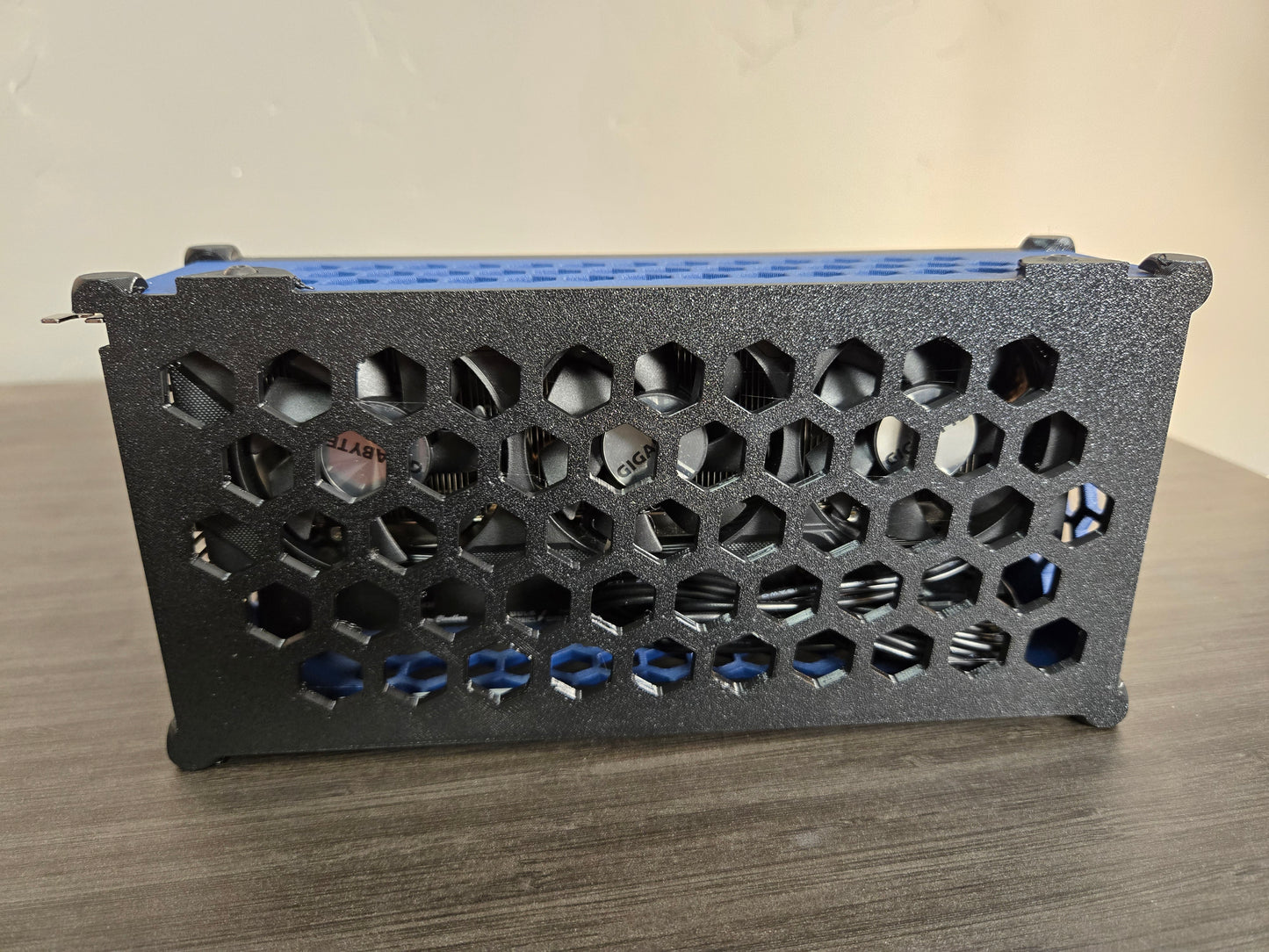
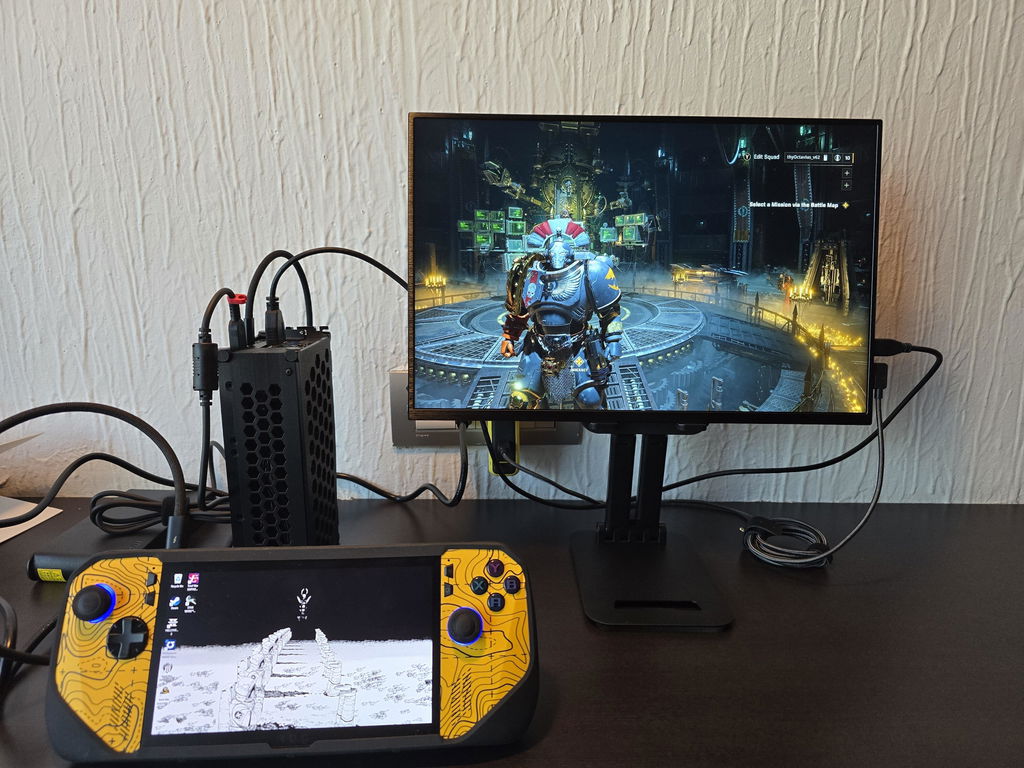
I got the Bantam Long for the 4060 LP to be the squire of my ROG Ally X. Cool gadget to have if you travel frequently. My only points of interest would be:
The cable management, you will have to deal with some to have the setup working, some might not like the look.
The TH3P4GaN v2, might not be enough to power an external monitor. I have a UPERFECT 18in portable display, so in my first attempt, I would have the thunderbolt port to my Ally, and the other USB C port and a HDMI to the monitor, the issue is that the monitor would power OFF and ON, so I just plugged the monitor to its own power supply and everything was fine.
Fans, not bad but you will hear them, I can play around with the settings a bit in the NVIDIA app, but this thing its not an iPad lol.
All and all, very cool functional project with room for upgradability and tinkering, if you like to DIY stuff. And yes, it handles games without an issue, I could play them in very high settings, but in high its enough for me.
Great seller. I purchased the original Bantam enclosure only to find out that I actually got the revised TH3P4GAN so it wasn't compatible. The seller responded almost immediately and sent me the V2 enclosure that fits perfectly. Also the V2 enclosure now comes with screws. Great product and great seller.
No screws?
Anyone with a Surface Pro / Thunderbolt 4/Oculink compatible connection that wants to amp up graphic performance should get this.
I would recommend the Gigabyte GTX 4060 OC Low Profile with Lenovo 230w AC adapter (Amazon) along with AliExpress TH3P4GaN v2 Lenovo square connection without case (sold separately) and Bantam Long for the best size/performance ratio.
Most games can run on ultra settings with minimal lag. It transforms an ultra-portable laptop into a gaming rig once you plug into power. I was able to fit this into a small backpack to even bring on the go! It’s super light and portable for modern day GPU dimensions. You don’t even need your laptop’s power cable because the GaN + Lenovo AC Adapter will send power to your laptop. Just plug into the lower port as it has higher wattage power delivery. You can also power a second Thunderbolt 4 device by connecting to the back of the eGPU.
If you want the portability and productivity of a tablet and the performance of docking into an eGPU, this is the solution!